Final call report
A webhook accepts call events from Vapi or Retell and only continues for the end-of-call report, so partial updates never trigger emails or bookings.
The part of an AI receptionist that runs after the call. When a Vapi or Retell voice agent hangs up, this workflow reads the transcript, scores how urgent the job is, books it into Google Calendar, texts the caller a confirmation and emails the owner a summary they can read in five seconds.
The owner needs to know what came in, the job needs to be in the calendar, and the caller needs proof that it is booked. None of that should depend on someone listening back to a recording.
These come from one test call where the caller booked an AC check. Seconds after the call ends, the owner gets the summary email and the job is already in Google Calendar, with the address, the issue and the caller details on the event.
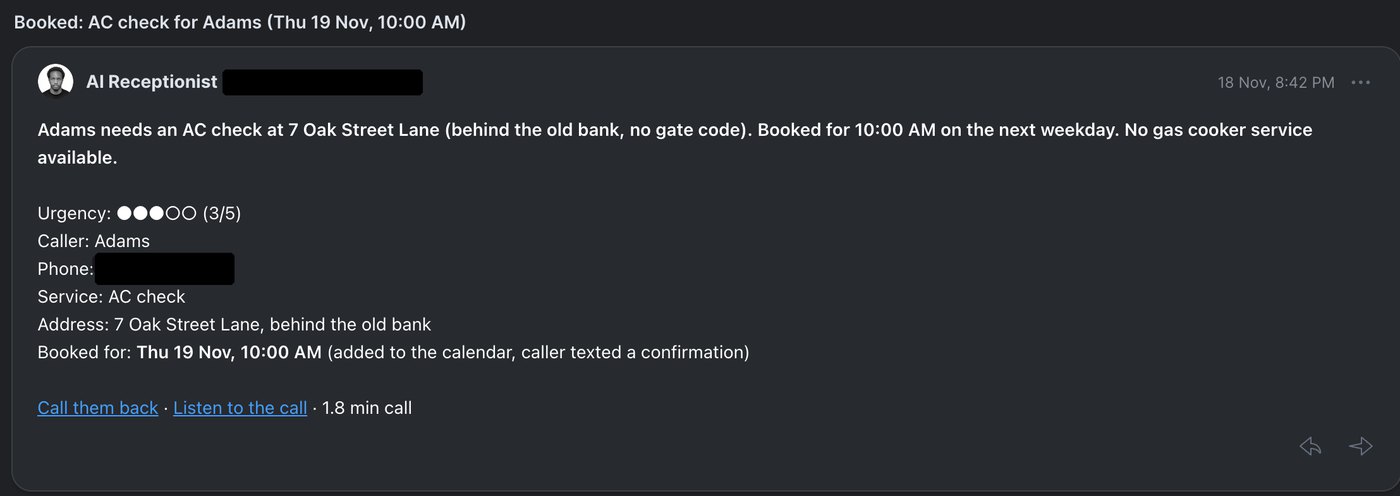
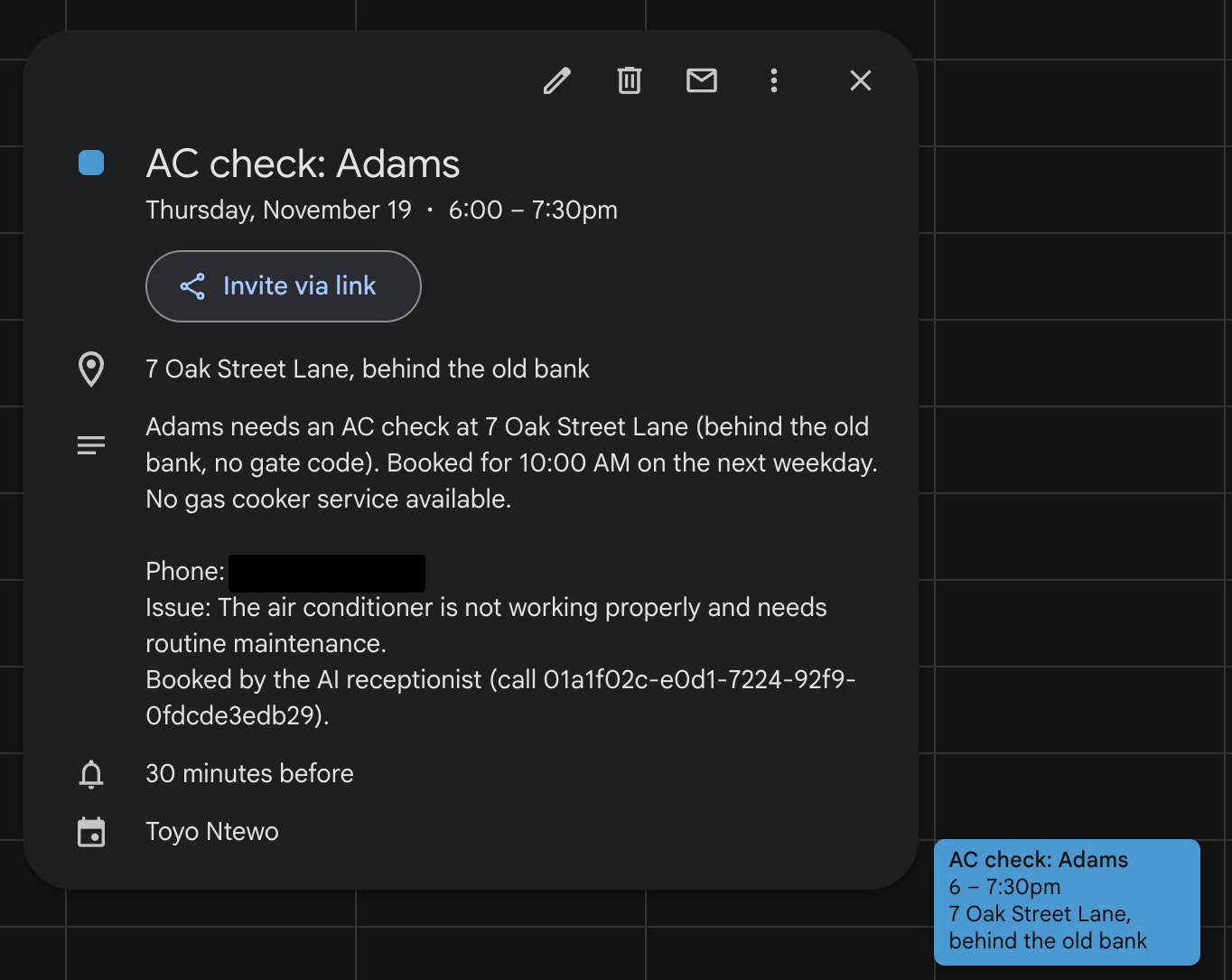
A voice agent can answer every call, but a transcript sitting in a dashboard does not help a busy owner. They need the job, the address, how urgent it is and whether it is already booked.
This pipeline starts when the call ends. It accepts the final report from either Vapi or Retell, ignores the in-progress events, and normalises both platforms into one shape: caller number, transcript, recording link and duration.
A language model reads the transcript in JSON mode. It is given the current date and time in the business time zone, so "tomorrow at ten" becomes a real timestamp. It returns the caller name, service, issue, address, an urgency score from 1 to 5 against a written rubric, whether a visit was agreed, whether a call back is needed, and a summary of no more than three sentences.
Every call is logged. The owner gets the summary email, with urgent calls flagged in the subject line. If the caller agreed to a specific time, the job is added to Google Calendar with the address as the location, the caller gets a text confirmation, and the calendar link is saved back to the log.
A webhook accepts call events from Vapi or Retell and only continues for the end-of-call report, so partial updates never trigger emails or bookings.
An LLM in JSON mode pulls out caller, service, issue, address, urgency, agreed time and a short summary, resolving relative times against the business clock.
Every call is written to a data table, and the owner gets an email with an urgency meter, the booking status, a call-back link and the recording.
When a valid time was agreed, the job goes into Google Calendar for the configured job length, the caller is texted a confirmation, and the calendar link is stored with the call.
The workflow runs as one path from the call-ended webhook to the booking confirmation, with the notify and book steps running side by side. Click any node to see what it does.
Accepts the final report only.
One shape for both voice platforms.
Turns a transcript into fields.
Validates before anything is booked.
Every call is recorded and reported.
Only runs when a valid time was agreed.
Click any node above to see its inputs, its logic and what it hands to the next step.