Form or webhook
Accepts leads from the built-in form or any webhook (Meta Lead Ads, Tally, a site form) and normalises name, phone, email, service, ZIP and notes into one shape.
A lead-response workflow for home-service businesses. Every new enquiry gets a personal text and email in under a minute, the owner gets an alert with the details, and anyone who has not booked gets one follow-up.
A lead who fills in a form is often contacting two or three companies at once. This workflow replies while the owner is still on a job.
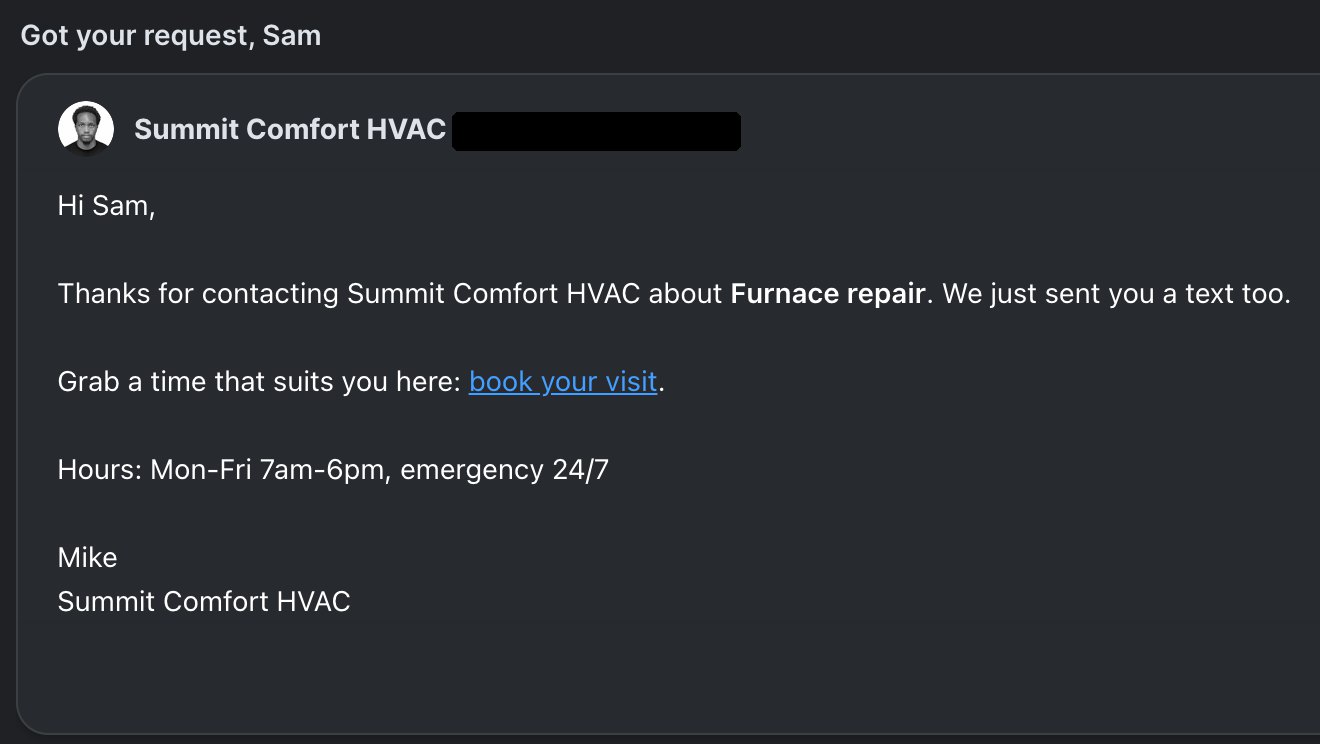
This is the email a lead receives seconds after sending the form, from a demo run set up for a fictional HVAC company. The text message arrives at the same time.
Small trades businesses lose work in the gap between a lead submitting a form and someone calling them back. By the time the owner checks their phone, the customer has booked whoever answered first.
This workflow closes that gap. A lead can arrive from a site form, Meta Lead Ads, Tally or any webhook. One normalise step maps every source to the same fields, so the rest of the flow does not care where the lead came from.
A language model writes the first text in the voice of the business: under 240 characters, mentions the service, and asks one question that helps the technician. The workflow adds the booking link and an opt-out line, sends it through Twilio, emails the lead if they gave an address, and alerts the owner with everything they need to call back.
Ten minutes later it checks whether the lead booked. A Cal.com webhook marks bookings as they come in. Anyone still unbooked gets one polite nudge, and is then left alone.
Accepts leads from the built-in form or any webhook (Meta Lead Ads, Tally, a site form) and normalises name, phone, email, service, ZIP and notes into one shape.
An LLM through OpenRouter drafts a short, human-sounding text for the exact service requested. If the model returns nothing, a plain template takes over so the lead is never left waiting.
Twilio sends the text, Gmail sends the booking email when an address was given, and the owner gets an alert with the lead details, the text that went out and the response time in seconds.
The lead is logged in a data table. After a set wait the workflow checks for a booking. Cal.com marks booked leads through its own webhook, and anyone still unbooked gets a single follow-up text.
The workflow has two entry points: the lead flow, and a listener that marks leads as booked when Cal.com confirms an appointment. Click any node to see what it does.
Built-in form or any webhook source.
Maps every source to one set of fields.
Drafts a short text in the business voice.
Three outputs run in parallel.
One follow-up, only if they have not booked.
Click any node above to see its inputs, its logic and what it hands to the next step.